
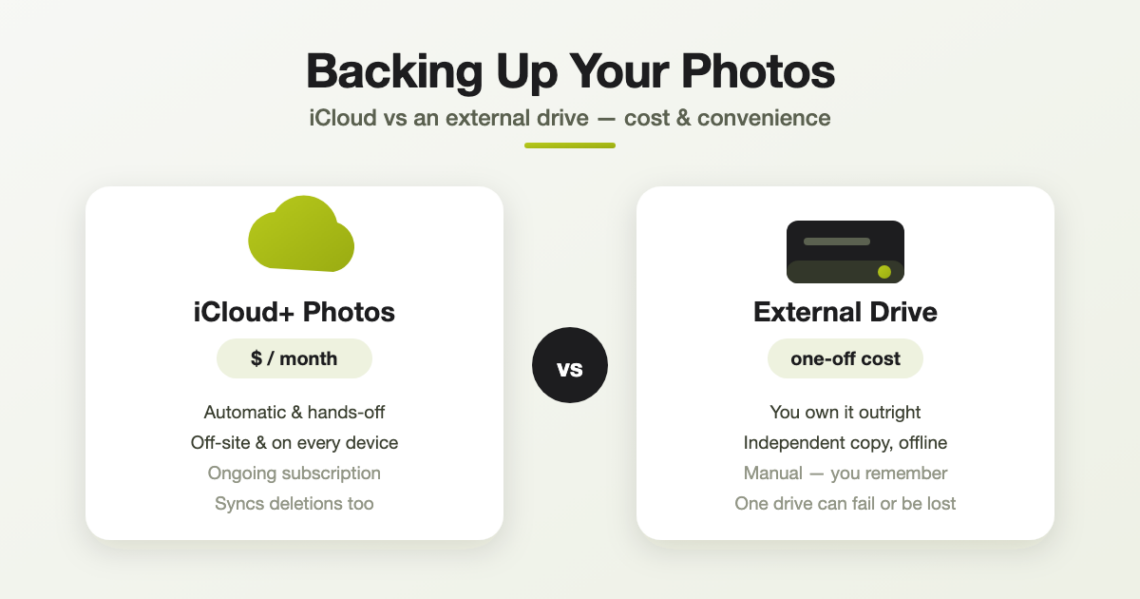
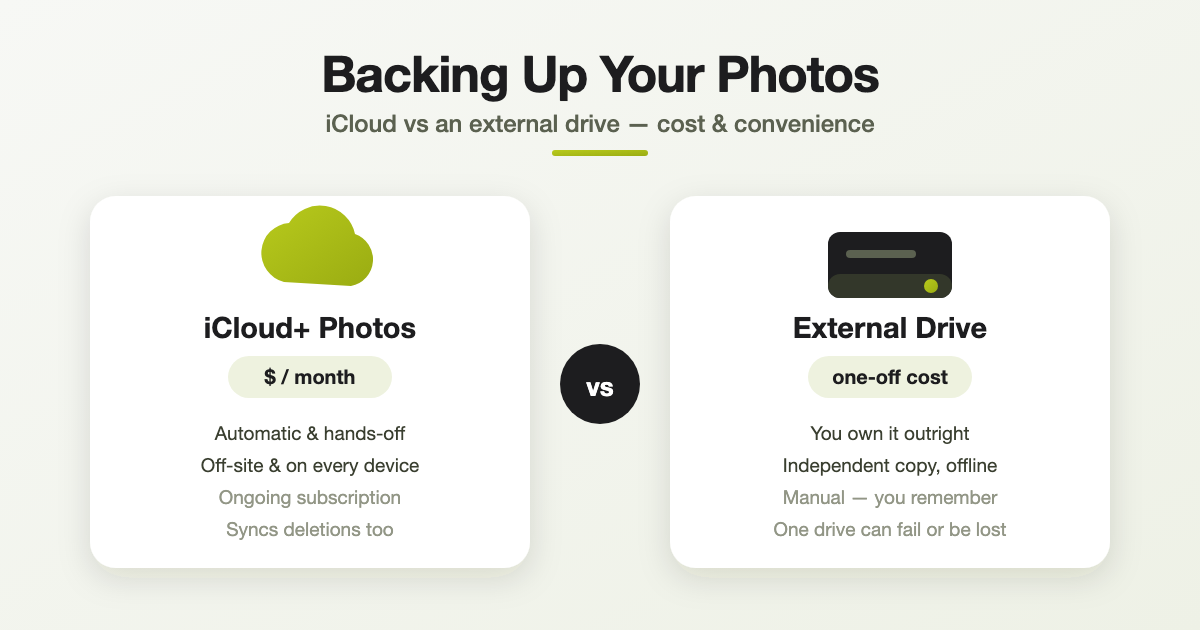
Your photos are one of the few things on your devices that are truly irreplaceable. Lose a phone and you can buy another; lose ten years of family photos and there’s no shop that can sell them back to you. So the real question isn’t if you should back them up — it’s how. For most Apple users it comes down to two options: iCloud Photos, or a local backup on an external drive. Here’s how they compare on the two things that matter most: cost and convenience.
First, an important distinction: syncing isn’t the same as backing up
This trips a lot of people up. iCloud Photos keeps your library in sync across your iPhone, iPad and Mac — take a photo on your phone and it appears everywhere. That’s brilliant for convenience, but it has a catch: if you delete a photo on one device, it disappears from all of them. An accidental deletion, a dodgy tap, or a mistake syncs everywhere too.
A true backup is a separate, independent copy that doesn’t change when your main library does. That’s exactly what a local copy on an external drive gives you. Keep this distinction in mind — it’s the reason the best answer often involves both.
Option 1: iCloud Photos
iCloud Photos stores your whole library in Apple’s cloud and keeps every device up to date automatically. Your first 5GB is free — which almost nobody’s photo library fits into — so in practice you’ll pay for an iCloud+ plan.
iCloud+ pricing in Australia
| Storage | Per month | Per year (approx.) |
|---|---|---|
| 50GB | $1.49 | ~$18 |
| 200GB | $4.49 | ~$54 |
| 2TB | $14.99 | ~$180 |
| 6TB | $44.99 | ~$540 |
| 12TB | $89.99 | ~$1,080 |
Every iCloud+ plan also throws in extras like Hide My Email, iCloud Private Relay, a custom email domain and HomeKit Secure Video.
The upside — convenience:
- It’s completely automatic — set it once and forget it.
- Your photos are off-site, so a house fire, flood or theft can’t wipe them out.
- You can reach your whole library from any device, anywhere.
- “Optimise iPhone Storage” keeps smaller versions on your phone and the full-resolution originals in the cloud, saving space.
The downside:
- It’s an ongoing subscription — stop paying and, once you’re over the free 5GB, you lose the ability to add photos and eventually risk losing access.
- Because it syncs, a deletion propagates everywhere (though deleted photos do sit in “Recently Deleted” for 30 days).
- If you use “Optimise Storage”, the only full-resolution copies live in iCloud — so it isn’t a second, independent copy.
Option 2: A local backup on an external drive
Here you copy your photo library onto an external drive that you own and keep at home. Pay once and it’s yours — no monthly fee, no account, no internet required.
What it costs: a basic 2TB portable hard drive can be found for around $100–$150. For your photos, though, we’d steer you toward a portable SSD — they’re dramatically faster, and with no moving parts they’re far tougher and more reliable for something you’ll plug in and cart around. The Samsung T7 Shield we stock is drop-, dust- and water-resistant, and it’s a one-off purchase with no fee ever:
- Samsung T7 Shield 1TB SSD — $399
- Samsung T7 Shield 2TB SSD — $679
- Samsung T7 Shield 4TB SSD — $1,299
You can see everything we carry on our storage range page. Not sure which size you need? A rough guide: 1TB holds roughly a couple of hundred thousand photos, so 2TB is plenty of headroom for most families — and gives you room to grow.
The upside:
- You own your data outright — no subscription, ever.
- It’s a genuine, independent copy — deleting a photo from your phone doesn’t touch the drive.
- Works completely offline and keeps your photos private and in your hands.
The downside:
- It’s manual — you have to remember to plug in and copy across regularly, or the backup goes stale.
- A single drive kept at home is still vulnerable to fire, flood, theft — or simply failing one day, as all drives eventually do.
- No automatic syncing across your devices.
Cost, head to head
Say your library needs the 2TB iCloud+ plan. That’s about $180 a year — every year, and it never stops. Over five years that’s roughly $900. A 2TB Samsung T7 Shield SSD is $679 once — it pays for itself in under four years, and everything after that is free. Opt for a plain 2TB hard drive and you’re square with iCloud inside a single year.
On paper the drive wins on price. But that headline number doesn’t capture what the subscription is actually buying you: automatic, hands-off, off-site protection and access from anywhere. The drive is cheaper over time; iCloud is easier and safer against disaster. They’re solving slightly different problems — which is the whole point.
The honest verdict: do both
Professionals follow a simple rule called 3–2–1: keep 3 copies of anything important, on 2 different types of media, with 1 copy off-site. For your photos, that looks like:
- Your live library on your iPhone/Mac (copy 1).
- iCloud Photos for automatic, off-site syncing (copy 2, off-site).
- An external drive as an independent archive that deletions can’t reach (copy 3, different media).
If a subscription really isn’t for you, at the very least keep a regularly-updated external drive — and store it somewhere other than right next to your computer. If budget allows, the combination of a modest iCloud+ plan plus an occasional drive backup is the sweet spot of convenience and peace of mind.
How to make a local copy (the quick version)
- On a Mac: plug in the drive, open Photos, and make sure “Download Originals to this Mac” is ticked (Photos > Settings > iCloud). Then either move your Photos Library to the drive, or select all and use File > Export > Export Unmodified Originals to copy the full-resolution files across.
- On Windows: install iCloud for Windows and turn on Photos to download your originals, then copy them to the external drive.
- Whichever you use: set a reminder to repeat it every month or two so the backup stays current.
Not sure you’ve got it set up right? This is exactly the kind of thing worth getting a second pair of eyes on — it’s much cheaper than losing the photos.
Frequently asked questions
Not quite. It keeps a copy in the cloud and syncs your devices, but because deletions sync too, it isn’t an independent archive. Pairing it with an external-drive copy gives you a true backup.
You keep your free 5GB, but you can’t add new photos once you’re over that limit, and after a grace period you risk losing what’s stored above it. Always keep a local copy before cancelling.
Over time, usually yes — a drive is a one-off cost while iCloud is a fee every year. A 2TB Samsung T7 Shield SSD ($679) pays for itself against the 2TB iCloud+ plan in under four years, and a cheaper hard drive even sooner. What iCloud adds is automatic, off-site protection and access anywhere.
Every month or two is a sensible habit for most people — more often if you take lots of photos. Set a recurring reminder so it doesn’t get forgotten.
Need a hand protecting your photos?
Whether it’s choosing the right external drive, setting up iCloud the smart way, or rescuing a library you’re worried about, the team at Geekworks in Coorparoo can help. We’re Apple Authorised specialists and we sort this kind of thing every day — pop in or give us a call.